
Many students lose marks on engineering reports due to formatting errors, not content. Proper engineering technical report format is essential for academic success and professional communication. This guide covers the standard structure, formatting rules, common mistakes, discipline-specific variations, data presentation, citation styles (IEEE vs. ASME), report types, modern best practices, and a pre-submission checklist. Free downloadable templates are included for mechanical, electrical, civil, and software engineering reports.
What is it?
A formal document that communicates technical information, project results, or design proposals in engineering.
- Standard structure: Title page → Executive summary → Table of contents → Introduction → Methodology → Results → Discussion → Conclusion → References → Appendices.
- Key formatting rules: Use Times New Roman 12pt (or Arial 11pt), 1-inch margins, 1.5 or double spacing, sequential section numbering, figure captions below, table headings above.
- Common pitfalls: Incorrect section numbering, overuse of passive voice, poor figure/table formatting, weak conclusions, missing citations.
- Discipline variations: Mechanical (CAD, FEA), Electrical (schematics, simulations), Civil (structural plans), Software (architecture diagrams).
- Downloadable templates: Free Word templates for each engineering discipline (see below).
- Need help? Our PhD-level engineers can write or edit your reports. Get a quote today.
Standard Structure
An engineering technical report follows a well-established structure that promotes clarity, conciseness, and completeness—the three C’s of technical writing [1]. Below we break down each section with its purpose and key content.
Title Page
Include report title, author(s), course, instructor, and submission date. Typically not numbered. Avoid graphics unless requested. Follow instructor guidelines.
Executive Summary / Abstract
Write last (150–250 words). Include problem, methodology, key findings, conclusions, and recommendations. Must be intelligible on its own. Purdue OWL emphasizes that a well-crafted abstract saves time for busy readers [2].
Table of Contents
Auto-generate with your word processor. List all headings (up to three levels) with page numbers. Include list of figures/tables if numerous. Usually numbered with Roman numerals or omitted.
Introduction
Provide background, state problem/objective clearly, define scope and limitations, and outline report structure. Avoid simply repeating the lab handout; craft a narrative leading to your contribution.
Methodology / Procedure
Explain how the work was done in enough detail for replication. Include equipment (model numbers), materials, procedures, variables, and controls. For design projects, describe design process, constraints, and evaluation criteria. Use past tense; active voice preferred (“We measured…”) but passive acceptable in methods.
Results / Findings
Present data objectively without interpretation. Use past tense. Include tables/figures with captions; move raw data to appendices. No discussion here.
Discussion / Analysis
Interpret results, explain significance, compare to theory, identify errors and anomalies. Use present tense for general facts, past tense for your specific findings. Show critical thinking.
Conclusion
Summarize main findings, address whether objectives were met, and suggest future work. Do not introduce new information. A weak conclusion loses marks.
References / Bibliography
List all cited sources in a consistent style (IEEE, ASME, or as specified). Every non-common-knowledge fact needs a citation. Only include sources referenced in the text.
Appendices
Place supplementary material here: raw data, lengthy calculations, code, schematics, CAD drawings. Label as Appendix A, B, C and reference in the text.
Formatting Standards: The Details That Matter
Consistent formatting makes your report professional and readable. Widely accepted standards in engineering [3] include:
- Font and spacing: Times New Roman 12pt or Arial 11pt. Line spacing 1.5 or double. Paragraphs indented (0.5 inches), no extra space.
- Margins: Minimum 1 inch (2.54 cm) all sides.
- Page numbering: Start on first content page or after TOC. Bottom center or top right. Title page and TOC often unnumbered or Roman numerals.
- Headings: Use consistent hierarchy (e.g., Heading 1: centered bold 14pt; Heading 2: left-aligned bold 12pt; Heading 3: left-aligned italic 12pt). Number automatically (1, 1.1, 1.1.1).
- Equations: Number important equations on the right, e.g., ( F = ma ) (1). Refer by number.
- Paragraphs: 3–7 sentences; use transitions.
These details demonstrate attention to detail—a key engineering trait.
Common Engineering Report Mistakes (And How to Fix Them)
Even strong content can be undermined by errors. Here are the ten most common mistakes and corrections.
Mistake #1: Incorrect Section Numbering
Wrong: Skipping numbers (1.3 → 2.1), non-sequential (1.1, 1.3, 1.2), or mixing numbered/unnumbered sections.
Impact: Confuses readers; lost marks 5–10%.
Fix: Use consistent hierarchy with automatic numbering. Example:
1. Introduction
2. Methodology
   2.1 Experimental Setup
   2.2 Variables
3. Results
Tip: Use word processor Styles.
Mistake #2: Overuse of Passive Voice
Wrong: “The samples were heated by the team…” (dull, indirect).
Impact: Active voice is clearer and more engaging. Overuse reduces readability.
Fix: Use active voice: “We heated the samples…” For statements without a clear actor, passive may be okay: “It is believed that…” → “The data suggest…”
Tip: Search for “was”, “were”, “is”, “are” and consider active alternatives.
Mistake #3: Poor Figure Formatting
Wrong: Caption above figure, missing labels, low resolution, no text reference.
Impact: Figures are the first thing readers examine; poor formatting hides your findings.
Fix:
- Caption below figure: “Figure 1: Stress-strain curve for aluminum 6061.”
- Number consecutively (Figure 1, 2, 3…)
- Axes labeled with units
- Resolution ≥300 DPI
- Refer in text (“as shown in Figure 1”)
Example:
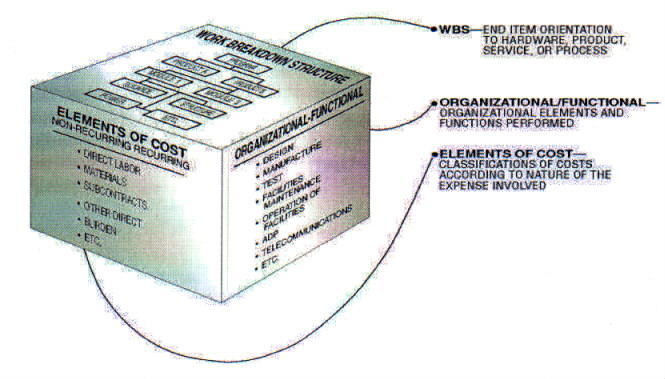
Figure 1: Well-formatted figure with title and labeled axes. (Source: NASA, public domain)
Mistake #4: Tables Without Headings or Borders
Wrong: Data without column headers or with grid borders.
Impact: Tables become hard to scan; clarity suffers.
Fix:
- Heading above table: “Table 1: Material Properties”
- Use horizontal lines only (top, bottom, below header)
- Align numbers on decimal
- Include units in headings
Example:
Table 1: Material Properties
| Sample | Yield (MPa) | Ultimate (MPa) | Elongation (%) |
|---|---|---|---|
| A | 275 | 310 | 12.5 |
| B | 260 | 295 | 10.2 |
Mistake #5: Information Overload
Wrong: Including every experimental detail, lengthy derivations, or pages of raw data in main text.
Impact: Obscures main message; annoys reader.
Fix: Move lengthy material to appendices. Keep main text focused on your specific contribution. Ask: “Does this help the reader understand my contribution?” If not, cut or move.
Mistake #6: Weak or Missing Conclusions
Wrong: “That’s all, thanks.” or merely repeating results.
Impact: Missed opportunity to leave strong final impression.
Fix: Restate objective, summarize key results, state if objectives met, suggest future work. Example: “The experiment demonstrated Ohm’s law within error. Resistance (120.5 Ω) agrees with spec (120 Ω) within 0.5%. Future work could test temperature dependence.”
Mistake #7: Inconsistent Formatting
Wrong: Mixing fonts, heading styles, spacing.
Impact: Looks unprofessional; suggests haste.
Fix: Define a style guide at start and use Styles:
- Font: Times New Roman 12pt
- Heading 1: bold 14pt centered
- Heading 2: bold 12pt left
- Line spacing: 1.5
Tip: Use Format Painter to apply styles consistently.
Mistake #8: Grammar and Spelling Errors
Wrong: Typos, subject-verb disagreement, misspellings.
Impact: Undermines credibility; can change meaning; lost marks 5–15%.
Fix:
- Run spellcheck, then manual proofread
- Read aloud to catch awkward phrasing
- Have a peer review
- Print a copy—errors stand out on paper
Mistake #9: Missing or Incorrect Citations
Wrong: No citations for sourced facts, wrong style, mismatched references.
Impact: Plagiarism is a serious academic offense [4].
Fix:
- Cite every non-common-knowledge fact
- Ensure every in-text citation appears in reference list
- Use consistent style (IEEE or ASME)
- Include page numbers for direct quotes
Example: “Yield strength of Al 6061-T6 is 275 MPa (ASM Handbook, 2020).”
Mistake #10: Ignoring the Audience
Wrong: Using excessive jargon or misjudging technical level.
Impact: Report becomes inaccessible or condescending.
Fix: Tailor language to intended readers (usually professor or mixed engineers/managers). Define acronyms on first use (e.g., “Finite Element Analysis (FEA)”). Provide brief context for discipline-specific terms if audience is interdisciplinary.
Example: Instead of “MOSFET’s Vgs(th) exceeded,” say “The gate-source threshold voltage of the MOSFET was exceeded, causing thermal runaway.”
Discipline-Specific Variations
Tailor your report to your engineering field. Key differences:
Mechanical Engineering Reports
- Content: CAD drawings (SolidWorks, AutoCAD), FEA/CFD results (ANSYS, Abaqus), thermodynamic calculations, material testing.
- Data presentation: Stress-strain curves, force diagrams, heat maps, modal plots. Include units and load conditions.
- Example: Design report with exploded assembly view, FEA stress contours, and comparison table of weight/cost/safety factors.
- Citation style: ASME [5].
Electrical Engineering Reports
- Content: Circuit schematics (KiCad, LTspice), signal graphs (Bode plots, oscilloscope traces), PCB layouts, MATLAB/Simulink simulations, truth tables.
- Data presentation: Use distinct line styles for measured vs. simulated; include legends; label axes with units (V, A, Hz); show clock cycles for digital signals.
- Example: Filter design lab report: schematic, Bode magnitude/phase plot, component value table.
- Citation style: IEEE [6].
Civil Engineering Reports
- Content: Structural calculations (beams, columns), site plans, geotechnical data (soil tests, bearing capacity), environmental assessments, traffic models.
- Data presentation: Load-deflection graphs, contour maps, material test results (concrete strength), settlement time-series. Tables include safety factors, load combinations, material specs.
- Example: Structural analysis report with calculation steps, moment diagram, member force table; large drawings in appendices.
- Citation style: Often APA or department-specific.
Software Engineering Reports
- Content: System architecture diagrams (UML), API docs, performance metrics (latency, throughput), algorithm analysis, code snippets.
- Data presentation: Flowcharts, sequence diagrams, class diagrams, performance graphs. Keep diagrams simple and focused.
- Example: Design document with high-level architecture, module interfaces, sample API responses, monospaced code examples with line numbers.
- Citation style: IEEE or ACM; cite frameworks, libraries, standards.
Data Presentation: Figures, Tables, and Charts
Effective visuals convey information quickly; poor ones confuse.
Figure Formatting Rules
- Caption below figure: “Figure 1: Brief description.” Self-contained.
- Resolution: ≥300 DPI for print.
- Axes: quantity and units (e.g., “Time (s)”).
- Legend if multiple data sets.
- Use sans-serif fonts in figures (Arial, Helvetica).
- Color with grayscale fallback (solid/dashed/dotted lines).
- Always refer in text (“Figure 1 shows…”).
Example:
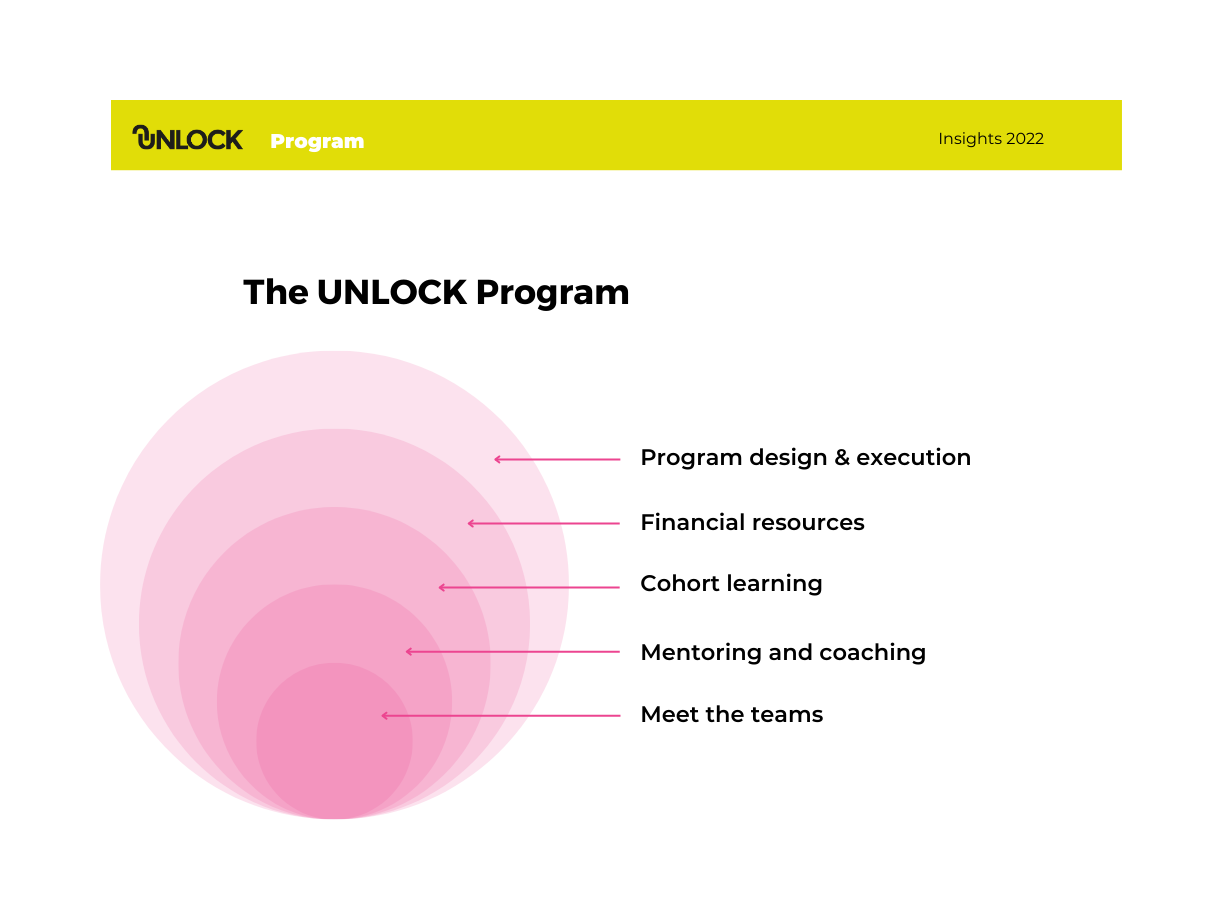
Figure 2: Hierarchical program structure aids comprehension of complex relationships. (Source: UNLOCK Insights Report 2022 by Kannika Thaimai, CC BY-SA)
Table Formatting Rules
- Heading above table: “Table 1: Brief description.”
- Horizontal lines only (top, bottom, below header).
- Left-align text; right/decimal-align numbers.
- Consistent significant figures.
- Slightly smaller font (10pt) if needed.
Example:
Table 2: Citation Style Comparison
| Feature | IEEE | ASME |
|---|---|---|
| In-text | [1] | (Smith, 2020) |
| Reference order | Numbered | Alphabetical |
| Disciplines | Electrical, computer | Mechanical |
| Style file | IEEE Author Center | ASME |
Chart Selection Guide
- Time series → line chart
- Category comparison → bar chart
- Distribution → histogram/box plot
- Correlation → scatter plot
- Parts of whole → pie (few categories only)
Avoid 3D charts; keep simple; remove unnecessary gridlines.
Software Tips
- Excel: Use built-in charts; set axis titles; remove chartjunk.
- MATLAB: Export as vector (PDF/EPS) or high-res PNG (300 DPI).
- LaTeX: Use
booktabspackage (\toprule,\midrule,\bottomrule).
Citation Styles for Engineering: IEEE vs ASME
IEEE
Numeric system [6]:
- In-text: “[1]” before period.
- Multiple: “[1], [3], [5]”.
- Reference list: Numbered by appearance. Example:
[1] J. Smith and A. Lee, "A novel approach," *IEEE Transactions*, vol. 35, no. 4, pp. 1021–1030, Apr. 2020.
[2] M. Johnson, *Introduction to Circuit Analysis*, 3rd ed. New York: IEEE Press, 2019.
[3] NREL, "Solar cell efficiency records," 2023. [Online]. Available: https://www.nrel.gov/pv/cell-efficiency.html. [Accessed: Jan. 15, 2026].
ASME
Author-date system (some publications numeric) [5]:
- In-text: “(Smith 2020)”.
- Multiple: “(Smith 2020; Lee 2019)”.
- Reference list: Alphabetical by author. Example:
Smith, J., and Lee, A., 2020. "A novel approach," *Journal of Mechanical Design*, 142(4), p.041305.
Johnson, M., 2019. *Introduction to Circuit Analysis*. 3rd ed. New York: ASME Press.
NREL, 2023. Solar cell efficiency records. [online] Available at: https://www.nrel.gov/pv/cell-efficiency.html [Accessed 15 Jan 2026].
Which Style Should You Use?
- Electrical, computer, electronics: IEEE
- Mechanical, manufacturing: ASME
- Civil: Often APA or discipline-specific (check department)
- Software: IEEE or ACM
When in doubt, ask your instructor. Using the wrong style can cost marks.
Setting Up Citation Management Tools
Zotero, Mendeley, and EndNote automatically format citations in IEEE, ASME, and many other styles [7]. Install the software, add references, and insert citations via word processor plugin. This saves hours and reduces errors.
Types of Engineering Reports: Feasibility, Progress, Design
Feasibility Reports
Purpose: Should we do this project? Evaluate options and recommend.
Structure: Exec summary, intro, evaluation criteria (TELOS: Technical, Economic, Legal, Operational, Scheduling), options analysis, recommendation, conclusion.
Length: 10–20 pages.
Example: “Feasibility of Installing Solar Panels on the University Library.”
Progress / Interim Reports
Purpose: How are we doing? Update stakeholders on status.
Structure: Intro (period/goals), work completed, problems encountered, current status (schedule/budget), next steps, conclusion.
Length: 5–15 pages.
Example: “Monthly Progress Report for Bridge Design Project – June 2026.”
Design Reports
Purpose: How do we build it? Document detailed design solution.
Structure: Intro (problem/requirements/constraints), design criteria, conceptual designs, detailed design (calculations, drawings), analysis, conclusion.
Length: 20–50+ pages.
Example: “Design of a Bicycle Frame: Stress Analysis and Material Selection.”
Comparison of Report Types
| Feature | Feasibility | Progress | Design |
|---|---|---|---|
| Main question | Should we do this? | How are we doing? | How do we build it? |
| Focus | Options analysis, recommendation | Status update, risks | Detailed specs, calculations |
| Length | 10–20 pages | 5–15 pages | 20–50+ pages |
| Key sections | Criteria, comparison, recommendation | Completed work, problems, next steps | Requirements, conceptual design, detailed design, analysis |
| Audience | Decision-makers, managers | Project team, sponsors | Engineers, manufacturers |
Modern Best Practices for Engineering Documentation
While traditional report format remains relevant, modern workplaces adopt digital tools and collaborative workflows.
Documentation-as-Code
Write in plain text (Markdown), convert to PDF/HTML via Pandoc. Benefits: version control friendly, automation, separation of content and style. Appropriate for industry reports and advanced coursework.
Version Control with Git
Track changes and collaborate: git add, git commit -m, git push. GitHub/GitLab enable review, comments, merging. Essential for group projects.
Collaborative Tools
Google Docs or Microsoft 365 for real-time co-editing and comments. Confluence/Notion for larger project documentation.
Audience-First Design
Start with reader needs: clear headings, executive summary, accessibility (alt text, readable fonts), multiple format options.
AI Writing Tools
AI tools like ChatGPT can assist with grammar, formatting, and drafting, but they have limitations. They may generate incorrect data, calculations, or citations (hallucinations). Use AI ethically: only for polishing, not for content you don’t understand. Always verify AI output, especially numbers and references. Many institutions require disclosure of AI use; check your syllabus. You remain responsible for the report’s content.
Pre-Submission Quality Checklist
Before submitting, run through this checklist. A downloadable PDF version is available here.
Formatting
- [ ] Font is Times New Roman 12pt (or Arial 11pt)
- [ ] Margins are 1 inch on all sides
- [ ] Line spacing is 1.5 or double
- [ ] Page numbers present and consistent
- [ ] Headings styled consistently (use Styles)
- [ ] Paragraphs indented (no extra space between)
Content
- [ ] All required sections present (Title Page through Appendices)
- [ ] Executive summary written last and accurate
- [ ] Introduction states objectives and scope
- [ ] Methodology detailed enough to replicate
- [ ] Results objective, Discussion interpretive, Conclusion addresses objectives
- [ ] References complete and correctly formatted (IEEE/ASME)
- [ ] Appendices labeled and referenced
Figures & Tables
- [ ] All figures numbered (Figure 1, 2, 3…)
- [ ] Figure captions below figures
- [ ] All tables numbered (Table 1, 2, 3…)
- [ ] Table headings above tables
- [ ] Every figure/table referenced in text
- [ ] Axes labeled with units
- [ ] Resolution adequate (300 DPI)
- [ ] Color figures work in grayscale
Citations & References
- [ ] Every factual claim from a source has citation
- [ ] No missing references
- [ ] Citation style consistent (IEEE or ASME)
- [ ] Direct quotes in quotation marks with page number
- [ ] No broken URLs
Language & Mechanics
- [ ] Passive voice minimized
- [ ] Grammar and spelling error-free
- [ ] No slang or informal language
- [ ] Tense usage correct (past for methods/results, present for facts)
- [ ] Acronyms spelled out on first use
- [ ] Peer-reviewed
Final Check
- [ ] Page count within limits
- [ ] File format correct (PDF/Word as specified)
- [ ] File name follows convention (LastName_Report.pdf)
- [ ] No placeholder text
Downloadable Templates
Save time with our free engineering report templates, pre-formatted with styles and annotations.
- Master Engineering Report Template (Word) – universal structure. Download
- Mechanical Engineering Report Template (Word) – CAD/FEA sections. Download
- Electrical Engineering Report Template (Word) – schematic/simulation sections. Download
- Civil Engineering Report Template (Word) – structural/site plan sections. Download
- Software Engineering Report Template (Word) – architecture/code sections. Download
- Pre-Submission Checklist (PDF) – printable checklist. Download
Note: For educational use; always follow instructor guidelines.
Conclusion & Next Steps
You now understand engineering technical report format—from structure and formatting to discipline-specific nuances and citation styles. Key takeaways:
- Follow the standard structure; it works.
- Pay attention to formatting details.
- Avoid the top ten mistakes.
- Tailor your report to your engineering discipline.
- Use the pre-submission checklist.
With practice and the free templates, you’ll produce polished reports that earn top marks.
Related Guides
- Business Report Writing Service – broader report strategies
- Nursing Concept Map Guide – organizing complex information visually
- Research Proposal Writing Service – project planning documents
Need Expert Help with Your Engineering Report?
Even with this guide, sometimes you need a second pair of eyes or a custom-written report. Our team includes PhD-level engineers who can:
- Write a custom engineering report tailored to your assignment
- Edit and proofread your draft for clarity, formatting, and grammar
- Ensure proper citation and originality
Every paper is plagiarism-free, follows your specifications, and delivered on time. Get a free quote today.

